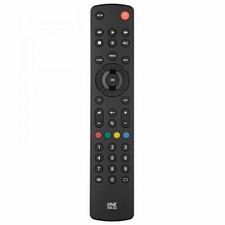
Take control of up to 8 devices with the One For All Contour 8 remote. Designed for seamless compatibility, this universal remote makes it easy to operate multiple devices without the hassle of juggling different controllers. It's the perfect replacement for lost or broken original remotes, ensuring you stay in control of your entertainment.
Partner listings for this model. We may earn a commission if you buy through these links, at no extra cost to you.
One For All Contour TV universal remote control for tv Samsung, Vizio, Sony, Panasonic, Smart TV, HAIER, Toshiba, Philips, TCL tv remote control universal
One For All Contour TV Universal Remote Control URC1210 – Ideal replacement for all types of TVs - With learning feature - Guaranteed to work all TV brands – Black (Certified Refurbished)
TV, Satellite, Cable, DVD, Audio, Media Player, Streaming Box, Game Console, VCR
Features
Learning Function, Simple Set, Teletext
Key Features
Control up to 8 devices, Easy setup, Learning feature
Frequently Asked Questions
How do I replace my lost or broken remote with the One For All Contour 8 Universal Remote?
If you've lost or broken your original remote, the One For All Contour 8 universal remote is a great replacement. Simply program it using the correct setup method (manual code entry, auto-search, or an app, depending on the remote model) to control up to 8 devices seamlessly.
What remote codes do I need for my One For All Contour 8 Universal Remote?
The One For All Contour 8 universal remote requires specific codes to work with different brands and models. Refer to the code list provided with your remote or use the auto-programming feature to find the correct code for your device. Many One For All remotes also have companion apps that simplify the setup process.
My One For All Contour 8 Universal Remote isn't working. What should I do?
If your One For All Contour 8 remote isn't responding, try these troubleshooting steps:
Replace the batteries with fresh ones.
Make sure you're pointing the remote at the device without obstructions.
Reprogram the remote using the correct setup method.
If the issue persists, check if your remote supports your device model.
If none of these steps work, consider resetting the One For All Contour 8 remote and starting the setup process again.
Couldn't find what you wanted?
Let us help you find exactly what you're looking for: